post bugs here by jacob1
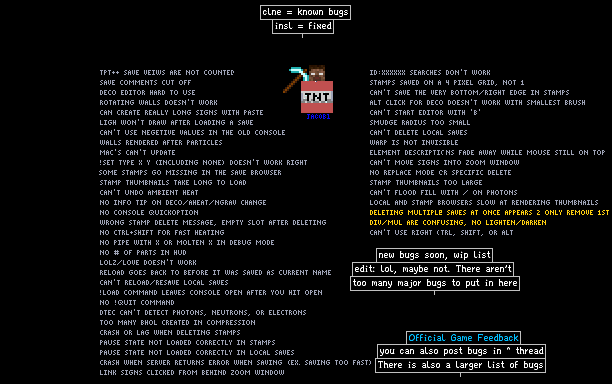

Post any bugs you find here. But there aren't as many bugs that are really bugs and I don't already know about than when this first started, so also use this as a general conversation save, or to ask / tell me anything. #1 most commented save in tpt!
jacob1
problems
bugreport
glitch
fix
960847
tptpp
glitches
bugs
tptplusplus
Comments
-
Dorito_tRF 15th Nov 2015
 for exact time, its 4 days from now
 -
Dorito_tRF 15th Nov 2015my friends getting a new pc soon and were going to be playing mc alot can he join the server?
-
PortalPlayer 15th Nov 2015
 jacob1: No, I tried both those things and it didn't work. Deleting the line did though, so I'm happy.
 -
jacob1 15th Nov 2015
 PortalPlayer: if you click on every element in 'electronics', it will reset it to only your most recently used elements, which are those. If you have the life types favorited for some reason, just ctrl+shift+right click each of them and they will go away (even with them glitched)
 -
PortalPlayer 14th Nov 2015Ok, just deleted "Recent elements": [glitches], worked a treat.
-
PortalPlayer 14th Nov 2015jacob1: That's the problem, I can't. There's this life 34 that stays and four 2x2s. I'll try deleting the whole line, rather than just emptying the array.
-
flubber5 14th Nov 2015
 Thanks, that was what I was referring to
 -
jacob1 14th Nov 2015PortalPlayer: It does have a brush size limit, which is exactly the size from one corner of the screen to the other. PortalPlayer: Deleting some stuff from powder.pref should have worked. I will rewrite the favorites menu eventually because it doesn't really work at all. For now, just select a bunch of elements until they all go away I guess :P
-
Atomic10 14th Nov 2015
 After tinkering around with the favorites menu, I've learned that it can be buggy (and has even crashed the game).
 -
Atomic10 14th Nov 2015PortalPlayer: Well this may not be the thing, but basically, when you press CTRL+SHIFT+LeftClick on an element's button in the menu, it 'saves' it to the recent menu, or also known as the Favorites menu. To remove a saved element from the menu, just press CTRL+SHIFT+RightClick on the element inside of the Favorites menu... Did that help? Probably not.